Communicating When the Internet Is Shut Off
Internet shutdowns are no longer hypothetical: governments order them, attacks on infrastructure cause them, and disasters finish the job. Every app that needs a server goes silent at once. Here is what still works, what history taught, and what to set up before you need it.
When the internet goes, every internet app goes
Shutdowns arrive three ways: ordered (governments have cut national or regional internet access hundreds of times in the past decade), attacked (strikes on power and telecom infrastructure, cut cables), and collapsed (disasters taking out the same infrastructure). The result is identical — WhatsApp, Signal, Telegram, iMessage, email, and any other server-dependent app stops, all at once, no matter how well encrypted it is. Encryption protects the message; it cannot conjure a route to a server.
What history taught: FireChat and Bridgefy
Offline mesh messaging has been stress-tested by real events. FireChat saw hundreds of thousands of installs during the 2014 Hong Kong protests, proving people will reach for phone-to-phone messaging when the network can't be used or trusted — and then it was discontinued in 2020. Bridgefy spiked in Hong Kong in 2019-20, after which security researchers showed its messages were effectively readable at the time (it later added real encryption). The lessons are durable: local mesh is genuinely useful when infrastructure fails, and encryption must be on by default, not bolted on after the headlines. Chat Local encrypts every message with AES-256-GCM by default and has never had an unencrypted mode; password-protected conversations add end-to-end encryption where even relaying phones can't read the content, and the app marks every message that actually crossed the air encrypted with a lock.
What mesh can and cannot do — honestly
- Can: keep a family, building, street, or crowd texting with no internet, no cell service, and no infrastructure at all. Messages hop through up to 5 intermediate phones, so coverage grows with adoption — the FireChat effect.
- Can: operate with nothing to block or seize. No servers, no accounts, no phone numbers, no server-side records of any kind — the system is only the phones involved. (Locally, conversation names and display names are visible to nearby app users by design — name them accordingly.)
- Cannot: reach anyone beyond mesh range. For the outside world you need satellite — iPhone 14+ Emergency SOS, satellite messengers, Starlink where it exists.
- Cannot: make radio silent. Bluetooth is short-range and low-power, but it is a transmitter: specialized nearby equipment can detect that phones are communicating even without reading anything. No app removes physical risk, and anyone promising invisibility is selling something.
- Cannot (yet): include Android phones — Chat Local is currently iPhone-only, which matters for mixed groups — Android support is on the roadmap.
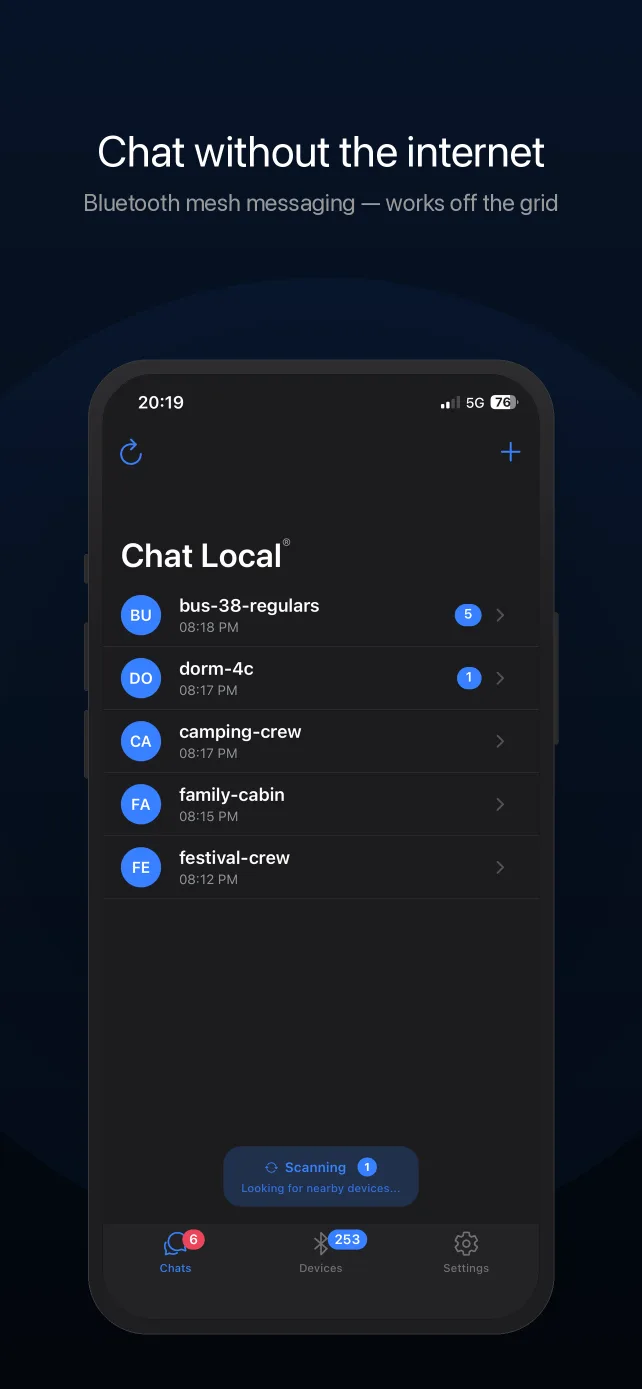
Prepare while the network exists
- Install before, not during. A shutdown also shuts the App Store. Every phone in your family or team needs the app ahead of time.
- Create conversations and set passwords now, and share them in person. Invites work by QR code with no connectivity, but coordination is easier before the crisis.
- Practice the airplane-mode drill — airplane mode with Bluetooth on is also the battery-stretching configuration for a long outage, and delivery confirmations show you exactly what your local mesh reaches.
- Layer it — pair mesh with a receive-only channel (radio broadcasts, NOAA/local equivalents) and, if you can, a satellite option for outbound contact. The grid-down guide covers the full stack, and the family plan template puts it on paper.
What it costs
Chat Local is free to download and use: Bluetooth mesh messaging (50-character messages), default AES-256-GCM encryption, delivery confirmations, 2 conversations, and a 20-message history cost nothing. Pro — $4.99/month or $29.99/year, or $59.99 once for lifetime access — adds unlimited conversations, 400-character messages, password-protected end-to-end encryption, message search, chat export, themes and backgrounds, and faster sending.
Frequently Asked Questions
Do messaging apps work during an internet shutdown?
Internet apps don't — WhatsApp, Signal, iMessage and email all need a route to their servers, and a shutdown removes it. What keeps working is anything that never touches the internet: Bluetooth mesh apps like Chat Local move messages phone-to-phone and relay through nearby devices, so local communication survives even a total shutdown.
What app works if the government or an attack shuts down the internet?
For local, phone-to-phone text: Chat Local (iPhone, Bluetooth mesh, encrypted by default, no account) or similar mesh apps. For reaching the outside world: satellite (iPhone 14+ Emergency SOS, Starlink where available, satellite messengers). Mesh handles the street-and-neighborhood scale; satellite handles distance. Nothing that depends on local towers or ISPs will help.
Is Bluetooth mesh messaging safe to use in a conflict zone?
Be honest about the limits: messages in Chat Local are encrypted (AES-256-GCM, with optional password-protected end-to-end encryption) and no servers are involved, but Bluetooth is still a radio — a nearby adversary with equipment can detect that devices are transmitting, even without reading anything. No app removes physical risk. For humanitarian coordination, family contact, and disaster response it is a strong tool; treat claims of total invisibility from anyone with skepticism.
Can an internet shutdown block Bluetooth mesh?
Not by flipping the switches that kill the internet — Bluetooth is peer-to-peer radio between phones and doesn't route through ISPs, cell carriers, or any national infrastructure. There is no server to block, seize, or unplug: Chat Local messages exist only on the participating phones.
What happened with FireChat and Bridgefy during protests?
FireChat saw mass adoption during the 2014 Hong Kong protests as a way to communicate on an overloaded, untrusted network — and was discontinued in 2020. Bridgefy spiked during the 2019-20 Hong Kong protests, after which researchers showed its messages were effectively unencrypted at the time (fixed later). Two lessons: offline mesh is genuinely useful when infrastructure fails, and default, verifiable encryption matters. Chat Local encrypts every message by default and never had an unencrypted mode.
Why does serverless matter in a crisis?
Anything with a server has a switch someone else controls: it can be blocked at the network level, ordered to hand over data, or simply fail. Chat Local has no servers at all — no accounts, no message storage, no metadata collection — so there is nothing to block and nothing to seize. The system is just the phones in the room.
Does it work with my phone locked or in my pocket?
Yes. Chat Local keeps looking for nearby devices and reconnecting to them while the app is backgrounded and the screen is off, so messages keep arriving with the phone pocketed. Keep Bluetooth enabled and don't force-quit the app; background delivery can be slightly less immediate than with the app open on screen.
How do I know whether my message actually got through?
Every message you send reports its real status underneath it: sending, sent, or received by the number of nearby devices that confirmed it — including devices reached by mesh relay. If nobody was in range, it says the message wasn't delivered instead of showing a false success.
Should I send sensitive information over Chat Local?
Use the right tier. Chat Local has two levels of encryption: default encryption (AES-256-GCM with keys built into the app) protects every message from passive radio eavesdropping, but like any built-in scheme it should be treated as strong obfuscation rather than secrecy — assume a determined attacker with the app could read default-tier messages. For anything sensitive, use a password-protected conversation (Pro): the key is derived from your password, only people who know it can read the messages — even relaying phones can't — and the app marks each message that was actually sent encrypted with a lock icon. Also know what is visible regardless: conversation names and sender display names are broadcast to nearby app users by design (that's how nearby discovery works), and Bluetooth transmissions are detectable as radio activity. Name conversations accordingly.
Set It Up Before You Need It
Chat Local is free on the App Store. Download it while you still have signal.