How to Communicate During a Power Outage
The lights go out, and for a few hours your phone seems fine. Then the cell towers’ backup batteries run down, the surviving ones jam with traffic, and suddenly nobody can reach anybody. Here is how to keep your household and neighborhood texting through it.
The blackout timeline nobody plans for
Power outages kill communication in stages. In the first minutes, everything works — towers are on backup batteries. Within hours, those batteries run down (4-8 hours is typical; some sites have generators, many don't) while call volume spikes. In a regional, multi-day event — an ice storm, a hurricane, a grid failure — assume no cell service, no home internet, and no WiFi. Rolling blackouts repeat this cycle daily.
Your phone, meanwhile, is fine. It's a powerful radio with a day of battery. It just lost every network it depends on — which is exactly the dependency you can remove.
Keep the household and the block connected
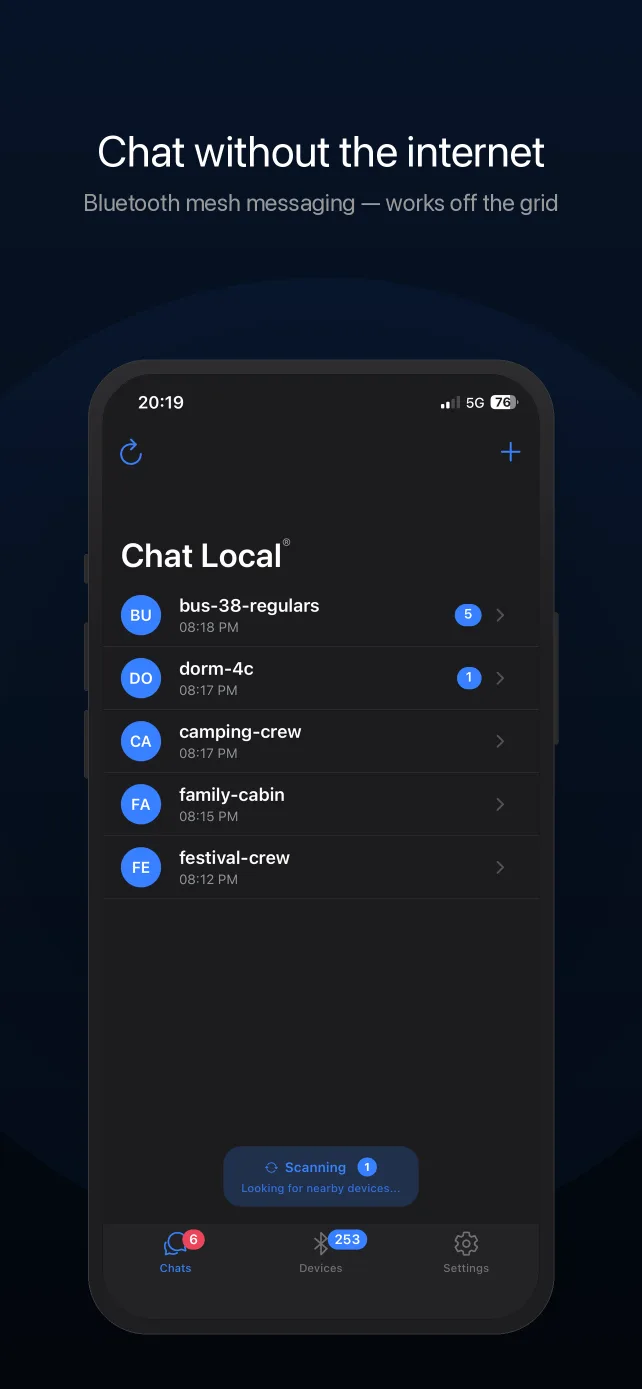
Chat Local sends encrypted text messages directly between iPhones over Bluetooth, with no towers, internet, or grid involvement. In an outage that means:
- Family texting keeps working — across the house, the property, or wherever mesh relay through other users reaches (messages hop through up to 5 phones).
- Neighborhood check-ins — a street or building running the app forms its own local network for welfare checks and sharing news ("gas station on 5th has a generator").
- Delivery you can trust — every message reports whether it was actually received by nearby devices, so a failed check-in is visible, not assumed.
The battery play
The counterintuitive move: airplane mode, then Bluetooth back on. A phone searching for a dead cell network burns battery at several times its idle rate; airplane mode stops the hunt, and Bluetooth Low Energy (the radio Chat Local uses — the same one AirPods use) sips power by comparison. Phones set up this way last dramatically longer, and Chat Local works normally. Add low power mode and minimum brightness, and a day of battery becomes several.
Prepare while the lights are on
- Install now — app stores need internet. Set up every iPhone in the household and send a test message today.
- Create the family conversation and write its name (and password, if you set one) into your paper emergency plan.
- Stage power — one charged power bank per person beats one big one for the whole family.
- Keep a receive-only channel — a battery or hand-crank NOAA weather radio for official information; Wireless Emergency Alerts often outlive regular service.
- Talk to the neighbors — mesh coverage grows with every phone running the app. A block that installs it together has a network; a single household has a room.
For the bigger picture — satellite, radio, and where each layer fits — read the grid-down communication guide, or put the whole thing on paper with the family emergency communication plan template.
What it costs
Chat Local is free to download and use: Bluetooth mesh messaging (50-character messages), default AES-256-GCM encryption, delivery confirmations, 2 conversations, and a 20-message history cost nothing. Pro — $4.99/month or $29.99/year, or $59.99 once for lifetime access — adds unlimited conversations, 400-character messages, password-protected end-to-end encryption, message search, chat export, themes and backgrounds, and faster sending.
Frequently Asked Questions
Do cell phones work during a power outage?
For a while, then progressively worse. Cell towers have battery backup that typically lasts 4-8 hours (some have generators), and the towers that stay up get overwhelmed as everyone calls at once. In an extended or regional outage, expect cell service to degrade and then disappear. Your phone itself keeps working as long as it has charge — it just loses the network.
How can I text my family when the power and cell service are out?
Use a communication layer that doesn't depend on infrastructure. Chat Local sends encrypted text messages phone-to-phone over Bluetooth — no towers, no internet, no power grid involved — so a household or neighborhood can keep texting as long as the phones have battery. Set it up before the outage: app stores need internet.
How do I make my phone battery last through a blackout?
Airplane mode with Bluetooth on is the single biggest saver: a phone hunting for a dead cell network drains itself fast, and airplane mode stops that. Chat Local works normally in this mode. Add low power mode, lower the screen brightness, and keep a charged power bank per person in your kit.
Does Bluetooth still work when the power is out?
Yes. Bluetooth is a radio inside your phone, powered by the phone's own battery. It needs no towers, routers, or grid power. That's why Bluetooth mesh messaging keeps working in a blackout when calls, texts, and WiFi don't.
What should be in a power-outage communication kit?
Every family iPhone set up with Chat Local ahead of time (and a test message sent), one charged power bank and cable per person, a battery or hand-crank NOAA weather radio for official information, written phone numbers and a rally point on paper, and — if you have one — an FRS/GMRS radio pair for voice at longer range.
Does it work with my phone locked or in my pocket?
Yes. Chat Local keeps looking for nearby devices and reconnecting to them while the app is backgrounded and the screen is off, so messages keep arriving with the phone pocketed. Keep Bluetooth enabled and don't force-quit the app; background delivery can be slightly less immediate than with the app open on screen.
How do I know whether my message actually got through?
Every message you send reports its real status underneath it: sending, sent, or received by the number of nearby devices that confirmed it — including devices reached by mesh relay. If nobody was in range, it says the message wasn't delivered instead of showing a false success.
Should I send sensitive information over Chat Local?
Use the right tier. Chat Local has two levels of encryption: default encryption (AES-256-GCM with keys built into the app) protects every message from passive radio eavesdropping, but like any built-in scheme it should be treated as strong obfuscation rather than secrecy — assume a determined attacker with the app could read default-tier messages. For anything sensitive, use a password-protected conversation (Pro): the key is derived from your password, only people who know it can read the messages — even relaying phones can't — and the app marks each message that was actually sent encrypted with a lock icon. Also know what is visible regardless: conversation names and sender display names are broadcast to nearby app users by design (that's how nearby discovery works), and Bluetooth transmissions are detectable as radio activity. Name conversations accordingly.
Set It Up Before You Need It
Chat Local is free on the App Store. Download it while you still have signal.